If you've spent time around a pad printing line, you've probably seen a job that looked right in trial but started drifting in production. Print edges getting soft. Coverage turning patchy on one side of the part. Or the pad picking up a slightly different amount of ink as the run goes on and the pad starts to wear.
Choosing the right pad hardness for a specific part and application is one of the foundational decisions in setting up a pad printing process that actually stays consistent.
What Pad Hardness Actually Means
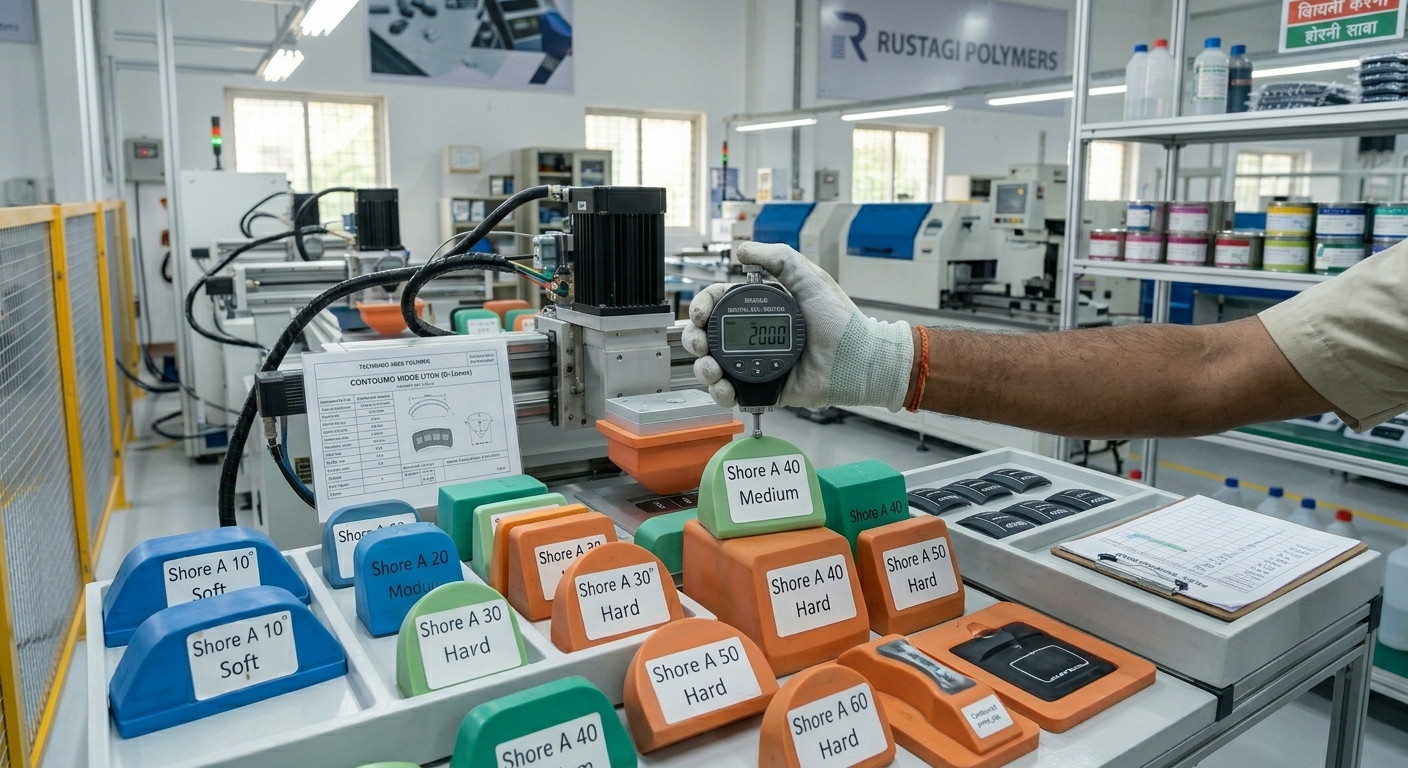
Pad hardness is measured on the Shore A scale, the same scale used for rubber and silicone hardness.
- Softer pads sit in the lower Shore A range around 5–10 Shore A for very soft pads.
- Medium hardness pads run 10–20 Shore A.
- Harder pads used for flat or slightly contoured surfaces go up to 25–35 Shore A and above.
The hardness determines how much the pad deforms when it presses into the ink on the cliché and then again when it contacts the part surface for transfer.
Softer pads deform more. Harder pads deform less. Both behaviours are useful but in different situations, and getting it wrong for your specific application causes predictable, consistent problems.
How Hardness Affects Ink Pickup and Transfer
When the pad presses into the cliché to pick up ink, it needs to conform closely enough to the etched image area to pick up the full ink film cleanly. A pad that's too hard won't conform well to a cliché on a curved surface, and you'll get incomplete pickup.
A pad that's too soft conforms well, but tends to deform excessively under compression pressure, which smears the pickup and distorts fine detail in the image.
Flat Surfaces vs. Contoured Parts
For flat or nearly flat surfaces (panel faces, flat badges, switch legends on flat substrates) a medium to harder pad in the 15–30 Shore A range typically gives the best combination of edge sharpness and consistent coverage.
The pad doesn't need to wrap around complex geometry, so its relative stiffness works in your favour by keeping the print geometry accurate.
For contoured surfaces (curved housings, domed tops, cylindrical features) softer pads in the 5–15 Shore A range allow the pad to conform to the surface profile without creating uneven contact pressure.
Uneven contact pressure is what causes patchy transfer, where some areas of the print are dense and others are thin or missing.
Real Example — Dashboard Button, Automotive Interior
Challenge: A moulding company was printing legends onto dome-topped dashboard buttons using a medium-hard pad.
Process: The centre of each button printed well; the edges of the legend were consistently thin and occasionally missing.
Result: Switching to a softer pad that conformed to the dome profile gave uniform contact across the full image area. Print consistency went from around 82% to 97% first-pass acceptance.
This kind of geometry-driven hardness decision is common across automotive interior components, where surface finishing requirements for automotive parts demand consistent, repeatable print quality across complex part profiles.
What Happens When the Pad Is Too Soft or Too Hard
To check hardness consistency, check the following components:
- Shore hardness (A or D scale, depending on material)
- Indentation resistance under load
- Compression set after stress removal
- Surface rebound / elastic recovery under standard conditions
The following characteristics define how the pad performs under real printing pressure:
Too soft: the pad compresses unevenly, the ink film distorts during pickup and transfer, fine details bleed or blur, and the pad wears faster because it's flexing through a larger range of deformation every cycle.
Too hard: poor conformity to contoured surfaces, incomplete ink pickup from curved clichés, uneven contact pressure causing patchy transfer, and higher risk of part surface damage on softer substrates from excessive contact force concentrated over a smaller area.
Both failure modes are consistent and predictable once you know what to look for. If your print quality issues look the same across a run, hardness is one of the first things to check.
Pad Wear and How It Changes Hardness Over Time
Silicone pads don't stay at their initial hardness through a production run. Repeated compression cycles cause the silicone to fatigue gradually, and the effective hardness at the working face of the pad decreases over time.
Monitoring pad condition visually checking for surface tack loss, surface texture change, or visible deformation and establishing a pad replacement interval based on print quality data rather than just time in service is the practical way to manage this.
Pad wear rate depends on compression pressure, cycle rate, and the geometry of the part surface.
How Ink Viscosity Interacts with Pad Hardness
Thicker inks need more deformation pressure from the pad to transfer cleanly which favours softer pads with more compliant contact.
When you change ink formulation or viscosity switching suppliers, adjusting for a temperature change in the facility and checking whether the existing pad hardness is still appropriate is part of the process adjustment, not an optional step.
Plastic coating services for automotive, consumer, and industrial components across plastic moulding companies in the region believe that the right hardness aligned with part geometry, ink, and wear conditions is essential for stable, repeatable results.
For manufacturers working with complex pad printing applications on plastic parts, Rustagi Polymers provides pad printing on plastic alongside vacuum metallizing on injection molded plastic components.
Frequently Asked Questions
- What does pad hardness mean in pad printing?
It's the Shore A hardness of the silicone pad, a measure of how much the pad deforms under compression. Softer pads deform more; harder pads less. The right hardness depends on the part geometry and the image being printed.
- How does pad hardness affect ink pickup and release?
Softer pads conform more closely to curved clichés for better pickup on contoured surfaces. Harder pads maintain form on flat surfaces for cleaner edge definition. Both extremes (too soft or too hard) cause quality problems.
- Which hardness works best for flat vs. contoured surfaces?
15–30 Shore A for flat or near-flat surfaces. 5–15 Shore A for contoured or domed parts where the pad needs to conform to the surface profile.
- How does pad hardness influence print edge definition?
Harder pads generally give sharper edges on flat surfaces because they don't deform as much during contact.
Softer pads on contoured surfaces give better coverage but can slightly blur very fine edges if over-compressed.
- What happens if the pad is too soft or too hard?
Too soft: ink film distortion, detail blur, faster pad wear.
Too hard: incomplete conformity to contoured surfaces, patchy transfer, incomplete ink pickup from curved clichés.
- How does pad wear affect hardness over time?
Repeated compression cycles cause the silicone to fatigue, reducing effective hardness at the working face. Pad replacement intervals should be based on print quality data, not just time in service.
- How does pad hardness interact with ink viscosity?
Thicker inks need more compliant contact i.e., softer pads. Thinner inks are more sensitive to over-compression from a too-soft pad. When ink formulation changes, verify pad hardness is still appropriate.